Orbit Dash: Reaction Runner

Myth Veil Interactive
2026-07-21
Reaction Precision Adaptability

Reviews

Orbit Dash succeeds by focusing on a single, well-executed idea: gravity reversal. The controls are minimal, but the challenge escalates quickly as speed and flip frequency increase. I appreciate that progress depends entirely on personal skill rather than luck or upgrades. The clean visual design helps you stay focused during intense moments. It is an excellent choice for quick gaming sessions that still offer depth for dedicated practice. A polished example of the endless runner genre.

About This Game

Core Mechanic: Gravity Flip

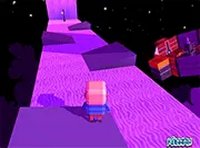
In Orbit Dash, the fundamental challenge comes from sudden reversals of gravitational pull. Unlike standard runners where you simply jump over gaps, here the entire floor can become the ceiling without warning. Your robot character must instantly adjust its orientation to land safely on whatever surface becomes the new ground. This mechanic transforms a simple tap into a decision point—do you jump early to clear an obstacle, or wait for the next flip to change your trajectory? Each run presents a fresh sequence of these shifts, ensuring no two attempts feel identical.

Obstacle Patterns and Speed Curve

The obstacles themselves are straightforward geometric shapes that appear along the path. What makes them demanding is the way they interact with the gravity changes. A low barrier on the normal ground becomes a ceiling hazard after a flip. The game gradually increases its pace as you progress, compressing the time you have to react. Early runs feel manageable, but after a few successful flips, the combination of faster movement and more frequent directional changes creates a genuine test of split-second decision making.

Visual Feedback and Control Design

The game uses clear visual cues to signal upcoming gravity shifts. A subtle color change or screen flash precedes each reversal, giving attentive players a brief window to prepare. The control scheme is intentionally minimal—a single tap or click performs the jump action. This simplicity allows you to focus entirely on reading the environment rather than managing complex inputs. The clean, uncluttered visuals help maintain concentration during longer sessions.

Progression Through Practice

Orbit Dash does not rely on power-ups or unlockable content. Instead, improvement comes from building muscle memory and pattern recognition. With repeated play, you learn to anticipate the rhythm of the gravity flips and the spacing of obstacles. The game tracks your best distance, providing a clear metric for personal growth. This pure skill-based progression appeals to players who enjoy mastering a single, well-designed challenge rather than grinding for upgrades.

Accessibility and Platform Support

Built to run directly in web browsers, Orbit Dash works on both desktop computers and mobile devices without requiring any downloads or installations. The touch-friendly interface responds to taps on phones and tablets, while mouse clicks serve the same function on laptops and desktops. A full-screen mode is available for those who prefer an immersive experience. The low technical requirements mean almost any modern device can run it smoothly.

✅ Compatibility & Testing

• Desktop (Windows 11, macOS Ventura)
• Mobile (iPhone 14, Samsung Galaxy S23)
• Tablet (iPad Pro, Android tablet)
✅Supported browsers: Chrome, Safari, Edge, Firefox (latest versions)
❌ Not supported: Internet Explorer, older browser versions

Faq

Does Orbit Dash require an internet connection to play?
Yes, because it is a browser-based game, you need an active internet connection to load and play it. Once loaded, the game runs locally in your browser without streaming additional data during play.
Can I save my progress or high score in Orbit Dash?
The game typically saves your best distance using browser storage like cookies or local storage. This means your high score persists between sessions on the same device and browser, but it may not carry over to a different device or browser.
Is Orbit Dash suitable for young children?
Yes, the game features simple tap controls and no violent or frightening content. The abstract geometric obstacles and robot character make it appropriate for players of all ages. Younger children may need help understanding the gravity flip mechanic initially.
How long does a typical game session of Orbit Dash last?
Individual runs are very short, often lasting between 30 seconds and 3 minutes depending on skill level. This makes the game ideal for quick breaks. However, players aiming to improve their high score may play multiple consecutive runs in a single session.
Are there any in-game purchases or advertisements in Orbit Dash?
The game is completely free to play with no in-game purchases or microtransactions. Some versions hosted on game portals may display standard banner ads on the webpage, but the game itself does not interrupt play with advertisements.
What happens when the robot hits an obstacle in Orbit Dash?
Colliding with any obstacle immediately ends the current run. The game then displays your final distance and prompts you to start a new attempt. There are no extra lives or continues—each run is a fresh challenge from the beginning.

Similar Games

Comments

0 comments
U
User
Loading comments...