 QuickTapDen
QuickTapDen
QuickTapDen
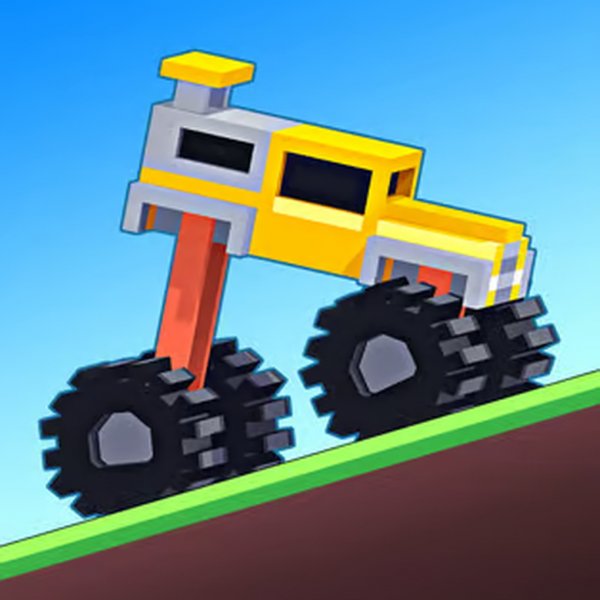
Drive Mad is a delightful physics driving game that tests your balance and control. With 100 levels, each featuring unique vehicles and obstacles, it keeps you engaged. The simple controls and skip option make it accessible, while the increasing difficulty ensures a rewarding challenge. Perfect for quick gaming sessions.
How to Play Drive Mad: Ultimate Guide and Tips. The game is not just about pressing to accelerate the vehicle to run forward. It’s the art of mastering the balance between speed and control. Understand the Controls: You can’t steer right or left in this game. It’s only possible to go forward or backward. To accelerate, press and hold the spacebar, D, or right/up arrow. To steer backward, press A or the left/down arrow. Navigate Through Obstacles but Don’t Lose Control: The terrains feature ramps, bridges, gaps, and tricky platforms that require controlled movement. Also, the challenge lies in your vehicles, which can be changed through levels, each reacting distinctively to acceleration and momentum. Getting familiar with them is a part of the game. Anyway, do not lose control. Slow when needed, and master the balance. Restarting and Improving: When you flip over, crash, or tumble into water, you must restart the level. Learn from your previous attempts and mistakes and adjust your driving style accordingly to complete the level and progress. Skip A Level If You Find It Too Difficult: It’s not necessary to finish a level to unlock the next one. Interestingly, the game features a 'Skip' option, which lets you instantly move on to the next challenge. Simply click or tap the '?' button at the top right corner of the screen and select 'Skip' to progress. Game controls: W, D, X, Spacebar, Up/Right arrow, or Mouse click: Steer forward; S, A, Down/Left arrow, or Z: Steer backward; Esc: Pause the game.

A charming clicker game that's easy to pick up and hard to put down. Perfect for relaxing fun.

A relaxing and colorful puzzle game that turns a maze into a disco floor. Great fun!
A thrilling dinosaur racing game that’s fun for the whole family. Shift and win!

A fun, family-friendly game where you chop trees and race on rafts. Simple to play but challenging to master!

Sling Kong is a fun, addictive climbing game with cute animals and easy controls. Great for all ages!

A delightful puzzle game that challenges your logic with colorful wires. Perfect for relaxing fun!

A thrilling reflex test with smooth controls and vibrant visuals. Highly addictive and fun for all ages.
A fun, relaxing ocean mining game that's perfect for all ages. Dive in and build your underwater paradise!